Proxmox 2U Node Server Build
My requirements for a new server were quite simple. The computing power should be roughly equivalent to my current server (Minisforum HM90), but with faster hard drive storage. Since only two 2.5“ hard drives can be installed in the HM90 and ZFS eats up SSD space relatively quickly, I needed another solution with 3.5” hard drives. I recently purchased a server rack and still have space available, I put together a 2U Proxmox build.
Specs#
- 2U Case: Inter-Tech 2U-2404L SATA
- CPU: Ryzen 7 5700G (Stock Cooler)
- Mainboard: ASRock B550M Pro4
- RAM: Kingston Fury DDR4 3600 64GB Kit (2x32GB)
- SSD: Intel SSDPEKNW512G8
- PSU: Fractal Design ION+ 2 Platinum 660W
- Fans: Noctua NF-A4x20 PWM
The total cost of the parts mentioned comes to around €600.
Case#
I didn’t want to spend a fortune on a server rack enclosure, so I opted for an Inter-Tech 2U-2404L SATA. Inter-Tech server racks may not be of the highest quality, but they are very affordable in comparison. This makes them good value for money if you’re not expecting an enterprise-grade enclosure like those from HP. With four hot-swap hard drive bays, it’s suitable for a ZFS mirror and possible future expansion.
When the server arrived, I noticed while unpacking it that certain areas had been covered with plastic film. To remove the film from the server, the case had to be almost completely dismantled, as some of the film was stuck under other parts. However, this worked quite well as the hard drive bays could be removed from the front.
Cooling#
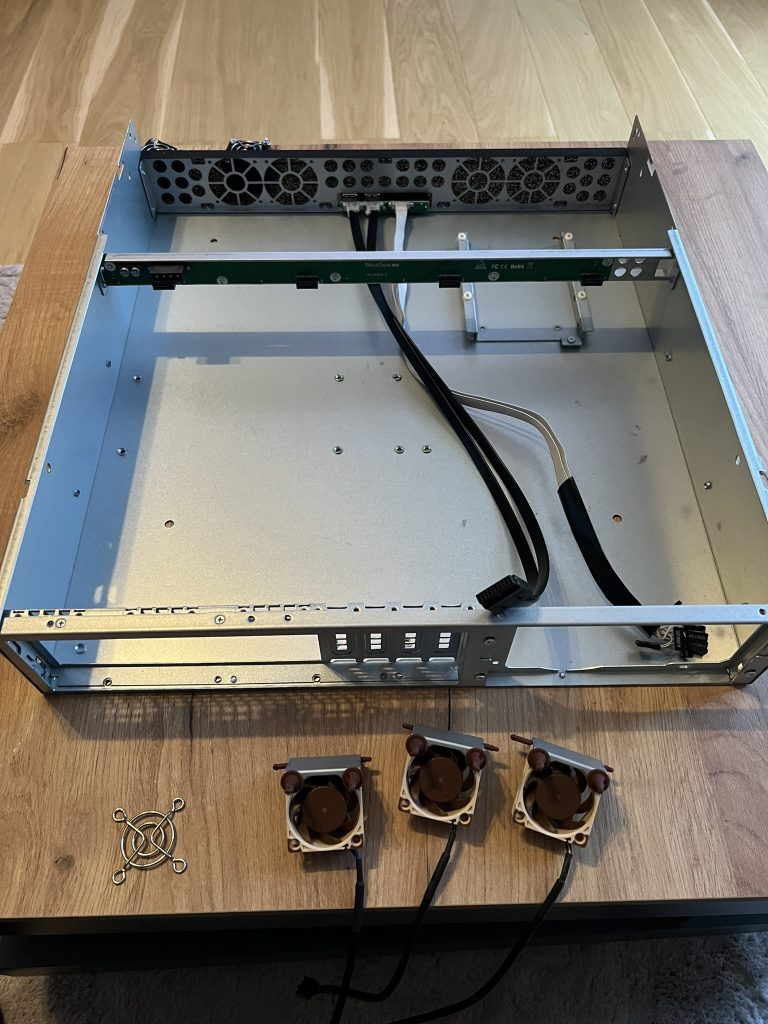
The server comes with three 80 mm fans at the rear of the case. Since my server rack is right next to my desk, I wanted to make the server as quiet as possible, so I replaced these fans with Noctua NF-A4x20 PWM fans.
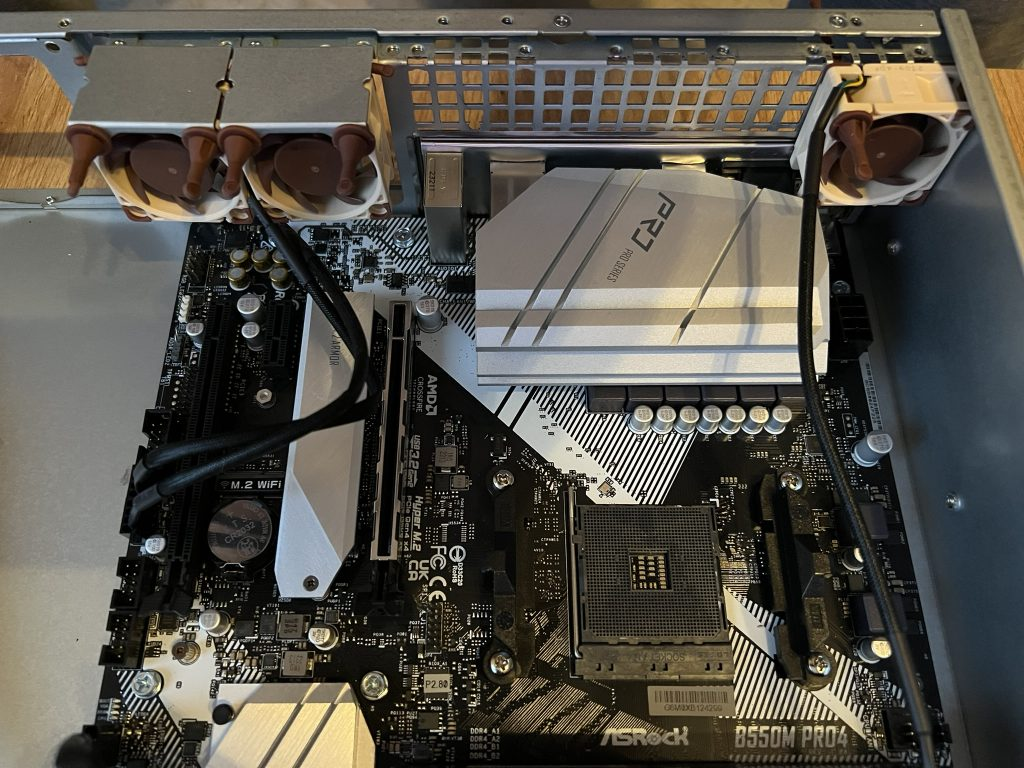
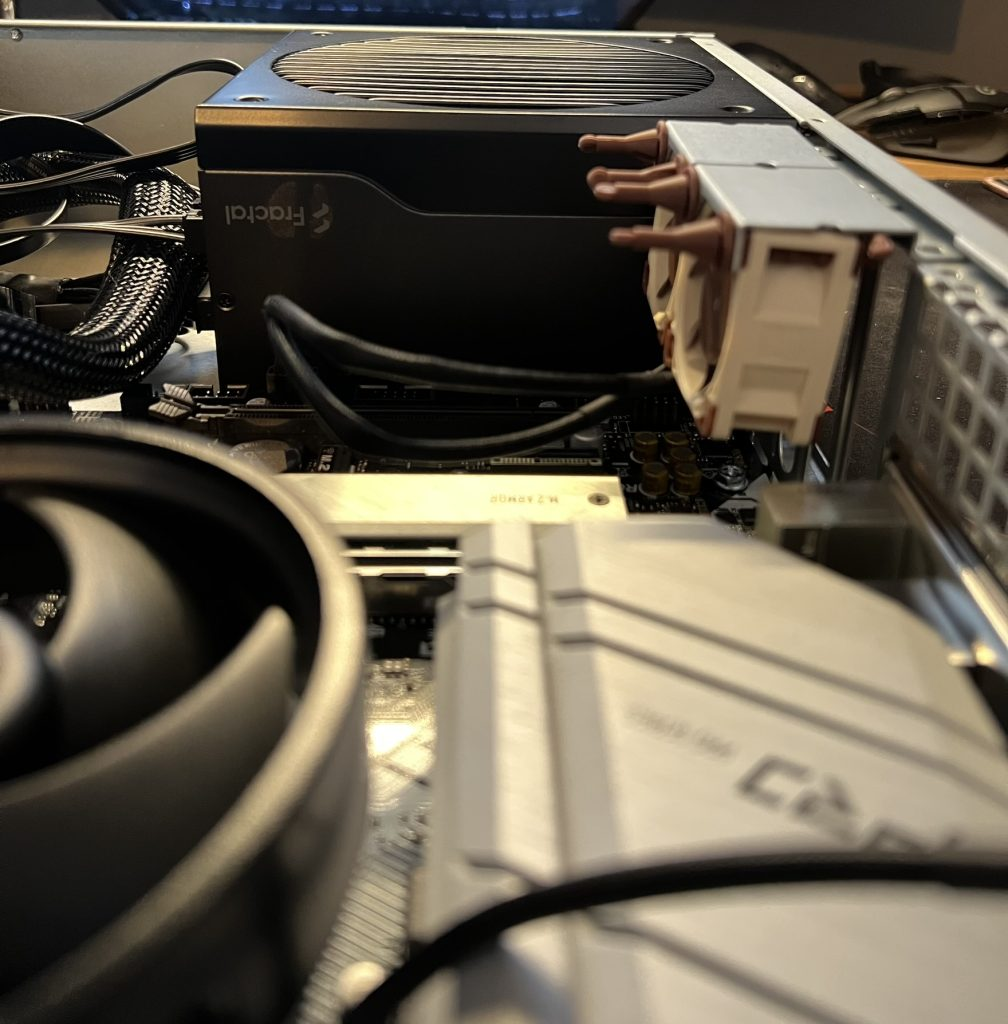
Unfortunately, the original fan mounts no longer fit when I installed the motherboard. The VRM heat sink is too high. This meant I had to screw the fans on to the right and left of it, blocking the PCIE slot. In my case, this isn’t a problem as I don’t need one (yet), but it’s something to bear in mind.
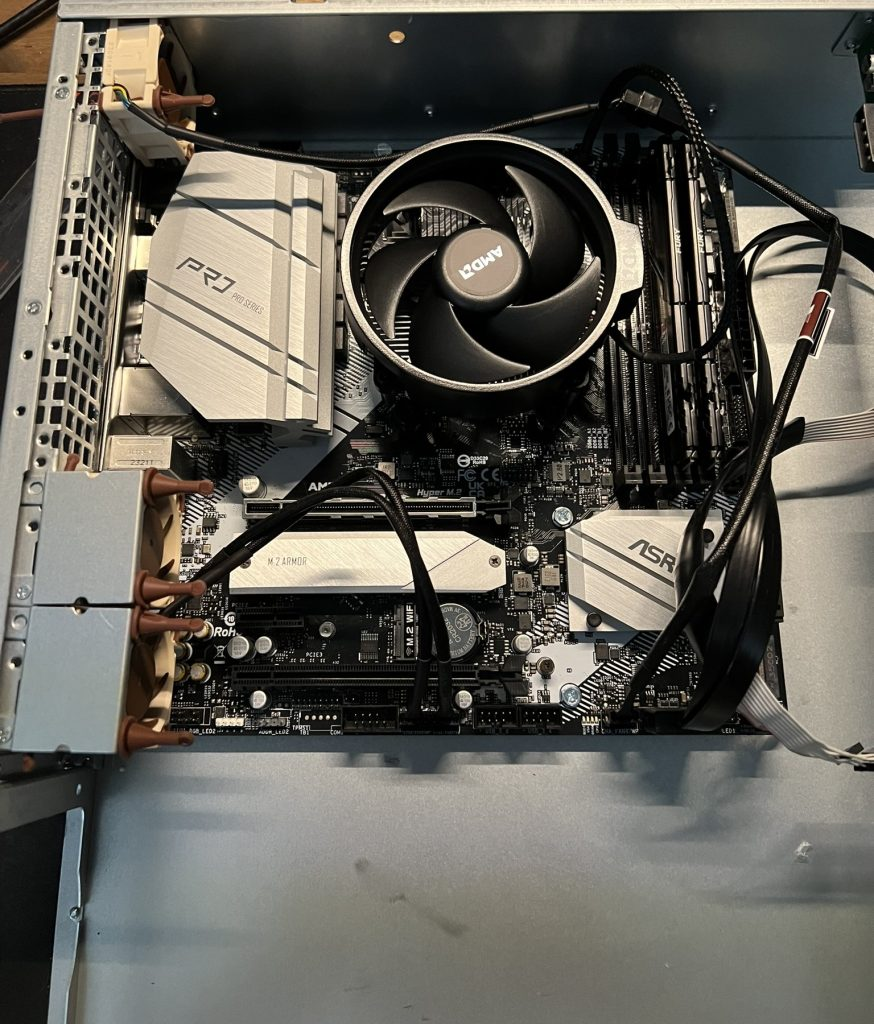
It is still possible to install fans at the front behind the panel, but I decided against this in the hope that drawing air from the back would provide some passive cooling for the hard drives. The hard drives do not have active fans at the front or rear.
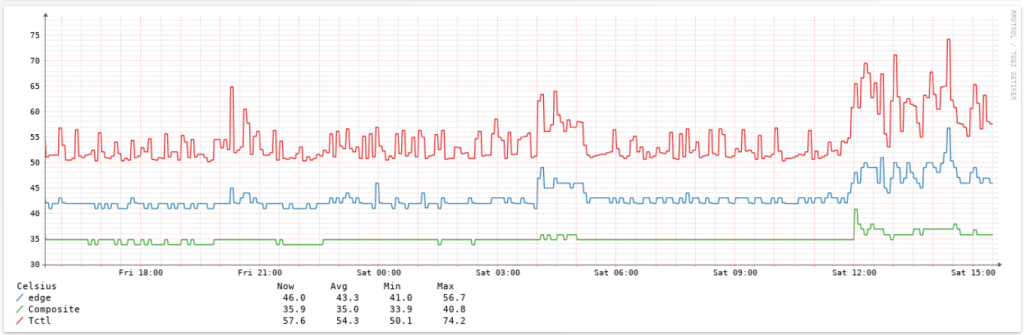
The temperatures are okay, but not really cool. I have currently disabled PBO and am running the Noctua fans at 100%. With a room temperature of around 24 degrees Celsius, the CPU has a temperature of around 50-60 degrees Celsius. The hard drives (4TB Seagate Ironwolf) have a temperature of around 40 degrees Celsius. I may replace the CPU cooler with a Noctua and add front fans.
Power Supply#
One of my biggest concerns, besides cooling and temperatures, was the physical space for a standard ATX power supply, which I hoped would fit. It did, but there are a few things to keep in mind:
- In principle, I would say that any standard ATX power supply will fit as long as it complies with the standard dimensions.
- Ventilation/cooling could be a problem, as the power supply fan does not have enough space to draw in fresh air. If necessary, you may need to drill ventilation holes in the case to prevent damage.
- I had to install the power supply upside down, as otherwise it would not have fit with the mounting holes on the case. So my power supply fan is facing upwards.
Inter-Tech mounting rails#
There are mixed reviews about Inter-Tech rails on the internet; some consider them to be absolute junk, while others find them quite acceptable for the price. This made me curious, so I ordered the rail set with a variable installation depth of 500-800 mm.
Apart from a small amount of transport damage that was repaired in 5 minutes, the rails arrived well packaged. Once I understood how the rails work and installed them, there was nothing special about them. They do what they are supposed to do.
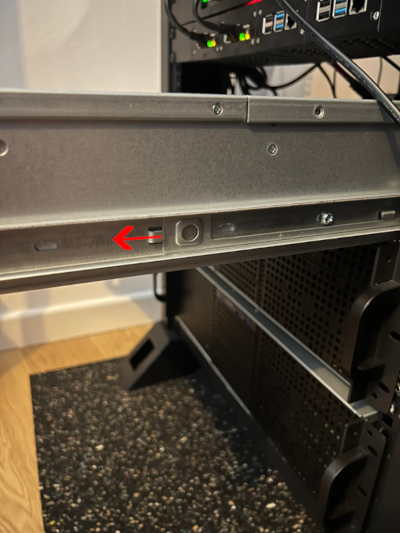
The rail must first be removed from the guide and then screwed to the housing. It can then be inserted into the guide, which should already be installed in the server rack.
By pulling back two tabs in the rails, the locking mechanism can be released and the server can be removed from the guide. The rails also lock into place when the server is pulled out completely.
Proxmox#
Currently, around 5 different LXC containers and 4 VMs are running on the Proxmox installation.
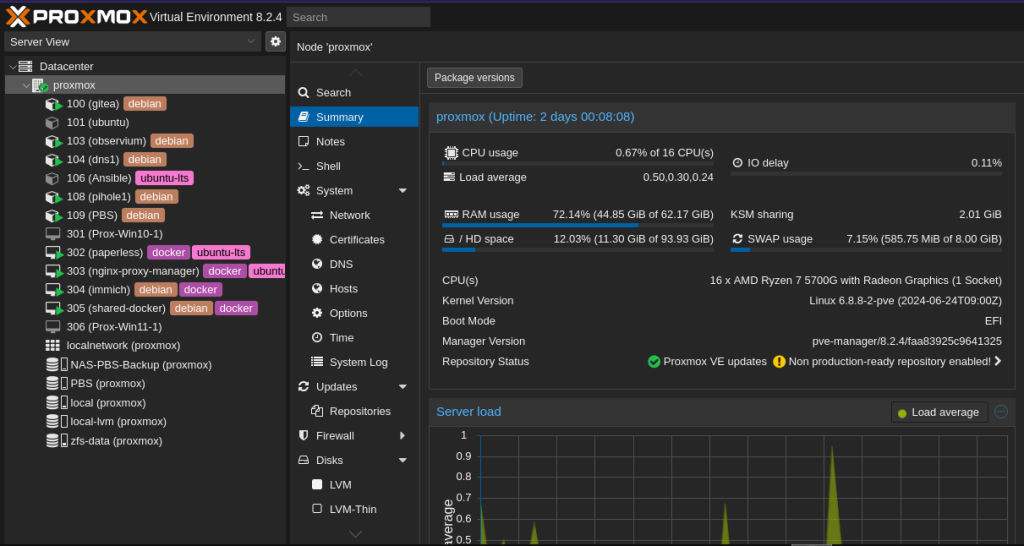
I have bundled two HDDs into an encrypted ZFS pool for reliability. The encryption means you lose options such as (live) migrations to other nodes. However, since I run the instance standalone, this is not really a limitation for me.