Fixing SCEP Certificate Enrollment over HTTPS on eLux Thin Clients
Currently we trying out eLux as an replacement of older thin clients with ThinOS or IgelOS. We tried to configure 802.1x authentication and the therefore needed certificate enrollment with our current SCEP/NDES server. We came across the issue that the scep client that eLux uses – sscep – an open source “Simple SCEP client for Unix” doesn’t support certificates requests over HTTPS.
When investigating the problem we found this GitHub issue which explains our problem. Our NDES server was only reachable over HTTPS – both on the administration page and most importantly also on the request web page (certsrv/mscep) where the client requests their certificates.
According to the RFC8894 are the scep messages already cryptographically secured and therefore additionally encryption on the transport layer is not required and subsequently not implemented in sscep.
Enforce SSL/TLS on mscep_admin#
This blog article describes pretty good on how to enable TLS encryption on the NDES admin page.
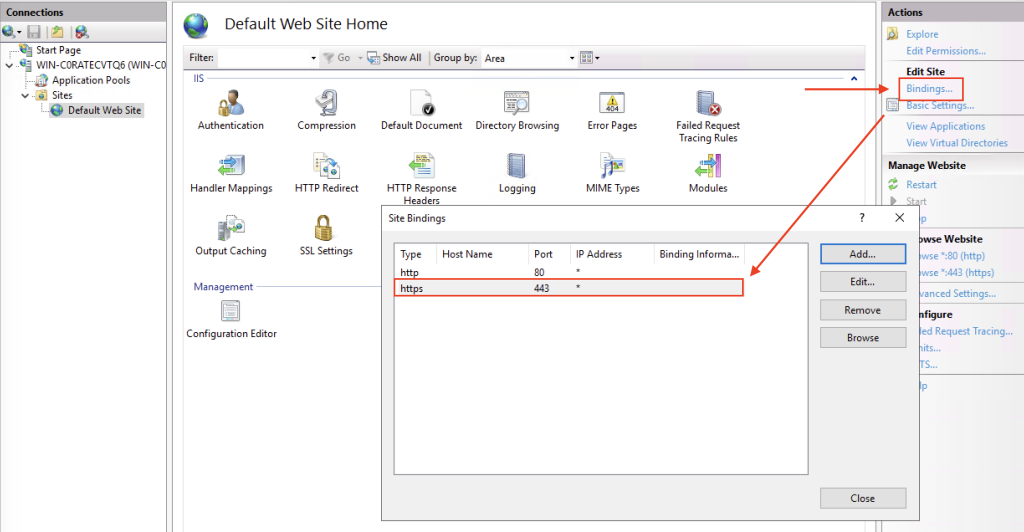
In order to allow both HTTP and HTTPS connections for requesting certificates while only allowing HTTPS on the mscep_admin site we need to add 443 and 80 to the bindings of the default IIS website which contains both applications.
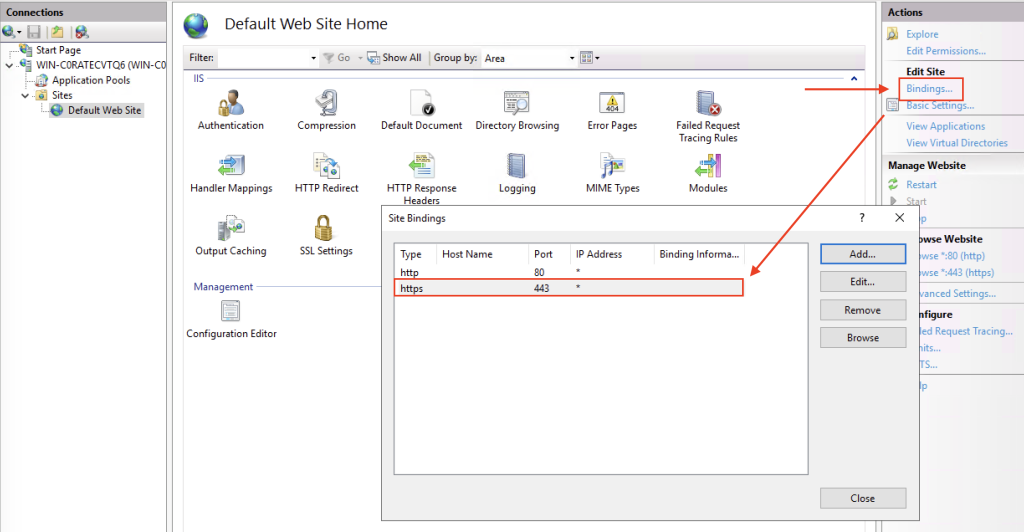
Now both applications the mscep_admin and the normal mscep listen to HTTP and HTTPS. Which isn’t ideal because we want to encrypt the mscep_admin traffic.
The last thing we need to do is enforce SSL on the mscep_admin application.
Open the mscep_admin application with a double click and enforce SSL.
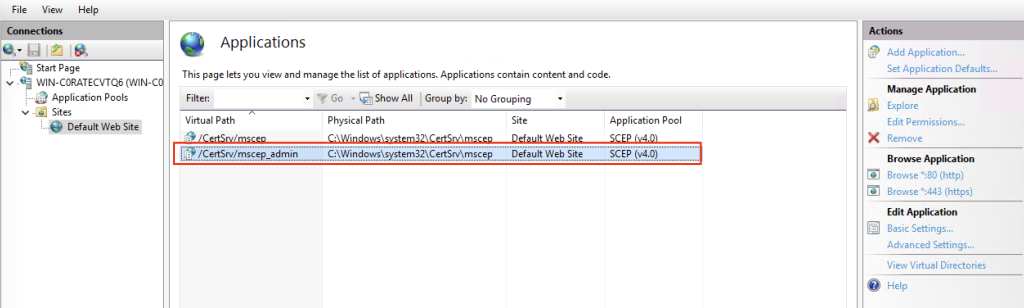
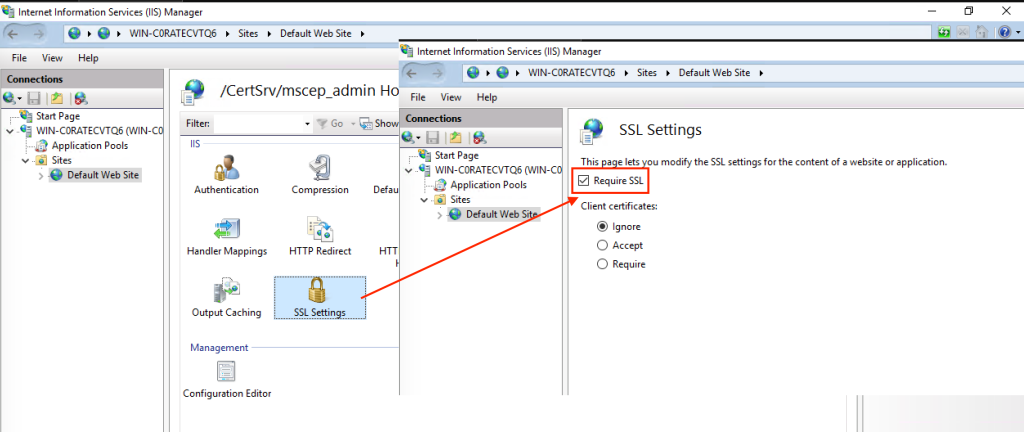
Now /mscep_admin only listens to https and /mscep listens to both http and https.